
Digimon World: Definitive Edition Widescreen 428×240
Digimon World Definitive Edition widescreen explained: 320×240 to 428×240, 54 pixels per side, 39% wider battles, 19 extended maps, toggleable.
FAQ
What resolution does Digimon World Definitive Edition use for widescreen?
How many extra pixels appear on each side?
Does widescreen stretch the backgrounds?
How much wider are battles?
Which maps get new side areas?
Can I disable widescreen?
What does 428×240 widescreen mean for DWDE?
The first numbered trailer feature promises 16:9 widescreen by widening the classic 320×240 field to 428×240, adding 54 pixels of world on each side while nothing is stretched. If you still play Digimon World 1 on PS1 or a port, that classic field is what this mode extends—menus, the clock, and partner bars move to the corners, and the camera keeps the original center—so the PS1 framing stays the anchor, not a re-zoomed crop.
Screenshot from the official English trailer (2026-10-23), used for commentary.
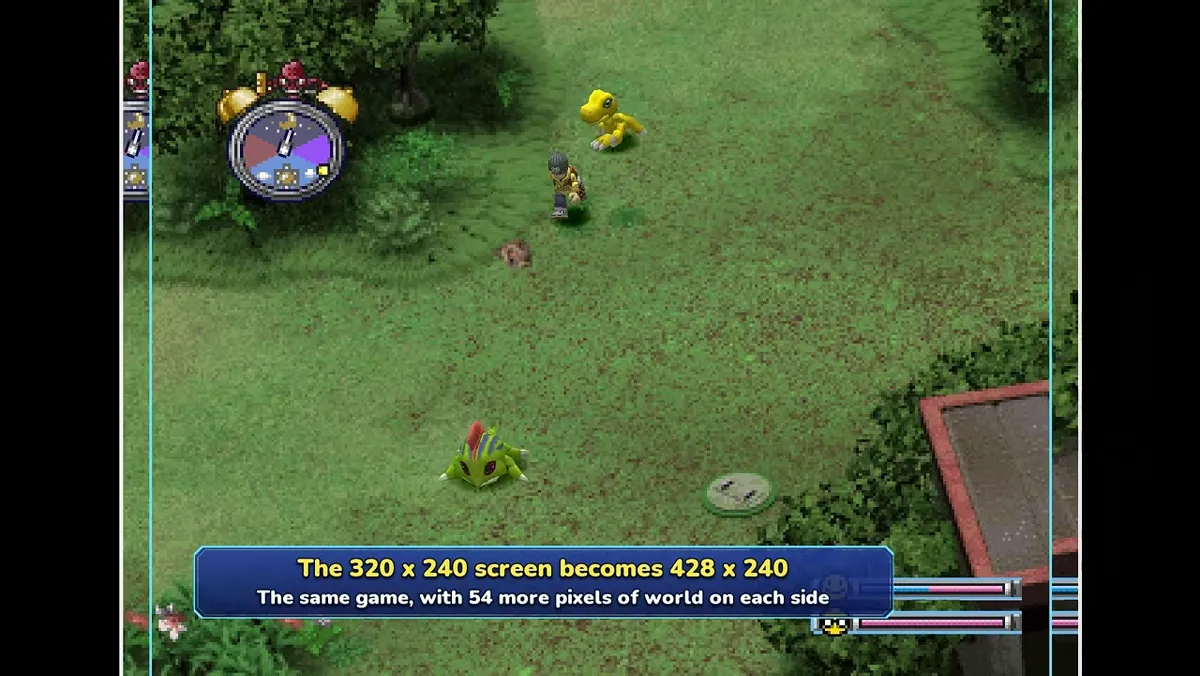
How is the math shown in the trailer?
You can verify the arithmetic without inventing extra claims:
| Step | Calculation | Result |
|---|---|---|
| Width gain | 428 − 320 | 108 pixels total |
| Per side | 108 ÷ 2 | 54 pixels each side (matches on-screen +54 labels) |
| Aspect ratio | 428 ÷ 240 | ≈ 1.783 (close to 16∶9, which is ≈ 1.778) |
Height stays 240 in the captions, so the change is horizontal reveal, not a taller framebuffer. That aligns with the message more world on the sides rather than upscaling sprites.
For where widescreen sits among the other seven trailer pillars, see /guides/dwde-trailer-features/. Project background is on /guides/what-is-digimon-world-definitive-edition/.
Does the UI move when widescreen is on?
Yes—the trailer contrasts original PS1 4:3 footage with Definitive Edition 16:9 shots where menus, clock and bars move to the corners. A caption adds nothing is stretched and that the painted scenery was already there—the trailer’s own wording for side background art, not a separate author claim.
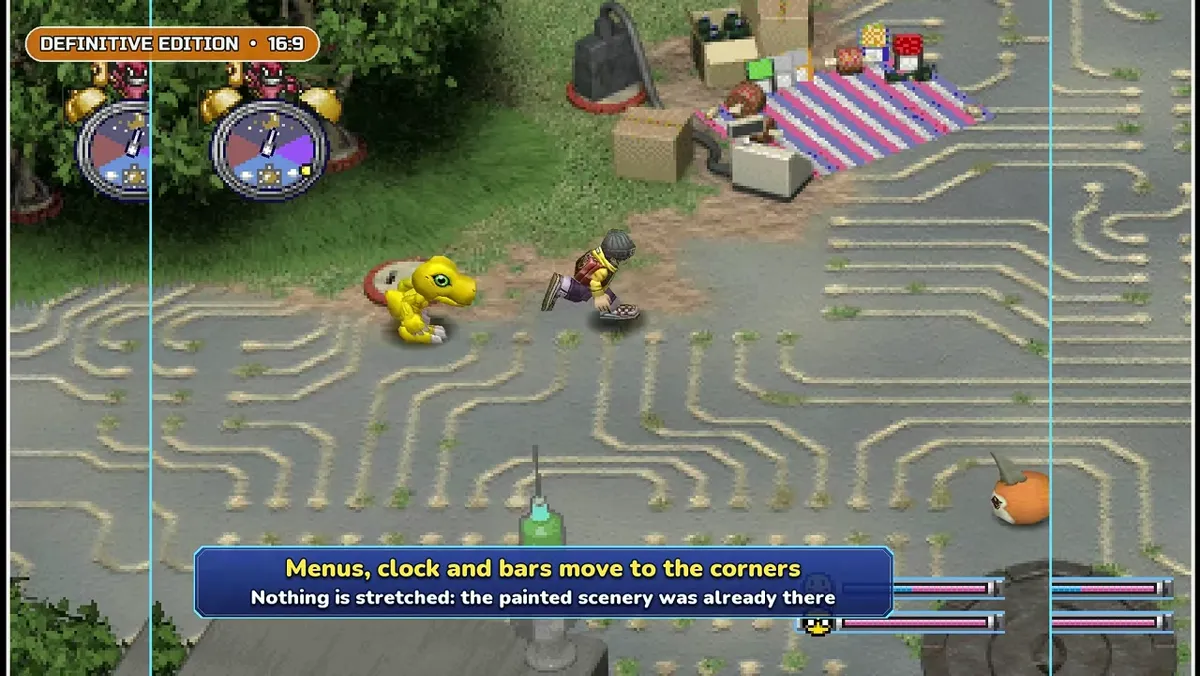
Compare that intent with the CRT-framed ORIGINAL • PS1 • 4:3 shots in the same segment—useful when you explain why /guides/digimon-world-fan-remakes-compared/ lists Recompiled (a different approach) separately from this Unity rebuild.
Why keep 240px height instead of a modern 720p frame?
Staying at 240 pixels tall preserves the pixel density and sprite scale fans associate with the PS1 original while only widening the canvas. That design choice matches the slogan nothing stretched: creatures and props keep their proportions; the engine reveals more painted background left and right. It is a different philosophy from emulators that scale everything to fit a 1080p monitor, which is why widescreen here is paired with a toggle—players who want the classic framing can switch it off per /guides/dwde-feature-switches/.
If you are revisiting File Island routes while reading this guide, remember classic map names in /guides/digimon-world-1-evolution-guide/ describe 1999 layouts; DWDE may add brand-new areas documented separately on /guides/dwde-new-areas-net-surf-village/.
What changes in battles and narrow maps?
Two combat/world captions matter for players:
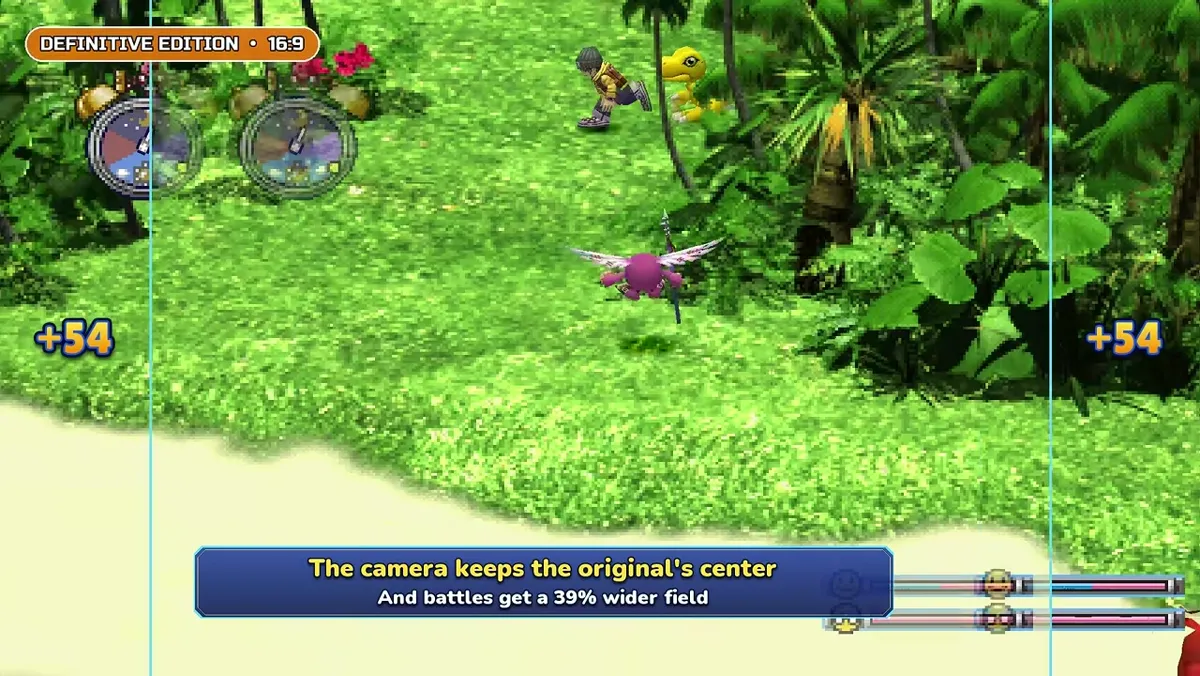
- The camera keeps the original’s center. And battles get a 39% wider field.
- 19 narrow maps got new side areas. Painted in each map’s own palette.
The 39% line is trailer wording only—we have no independent benchmark. The 19 maps line confirms palette-matched paint on sides, illustrated with +54 markers over a toy-brick interior shown in feature 01 of the trailer.
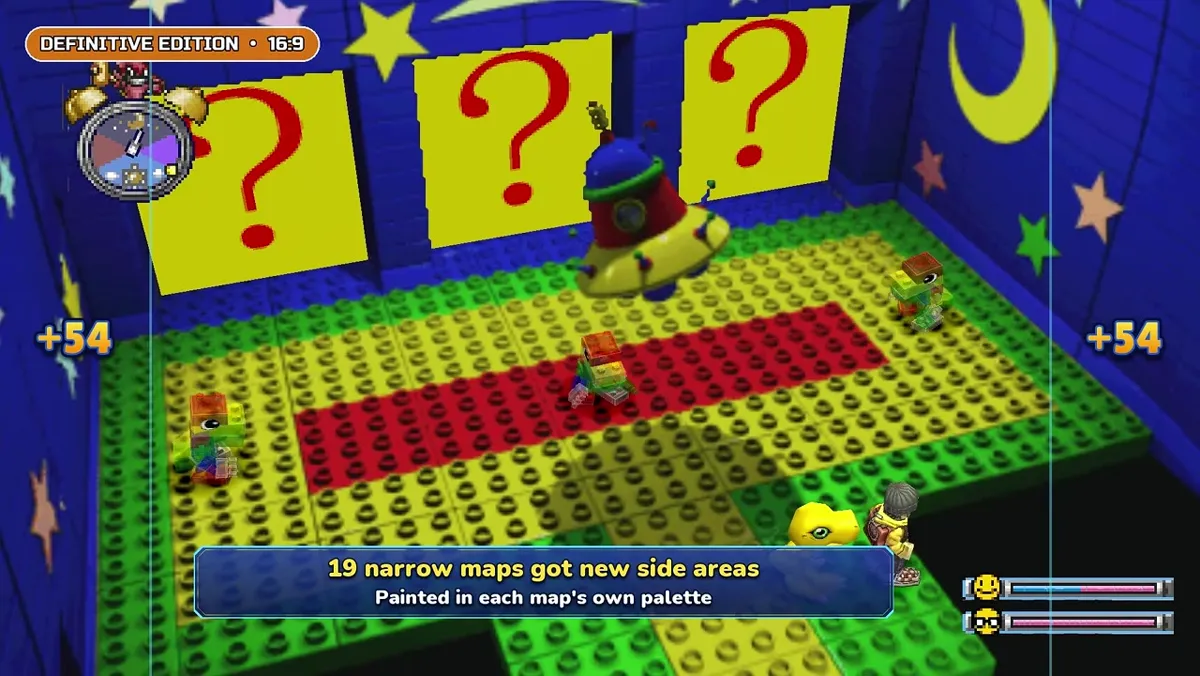
New brand-new areas (Net Surf Village and others) are a separate feature 07 topic on /guides/dwde-new-areas-net-surf-village/—do not merge them with the 19 extended classic maps caption.
Can you turn widescreen off?
How does widescreen connect to remastered art?
Feature 02 is separate but visually adjacent in the trailer: redrawn title screen, high-resolution icons, and 4K widescreen title art. Widescreen changes layout; remastered art changes asset resolution. Both appear on the same toggle menu, so a player could theoretically run ** sharper UI** while keeping 4:3 gameplay, or the reverse—depending on how the final options menu is implemented. Until release, treat combinations as advertised intent, not something we have hands-on tested.
Return to the numbered list anytime on /guides/dwde-trailer-features/ or the project FAQ hub /guides/what-is-digimon-world-definitive-edition/.
Sources & verification
Widescreen numbers and quotes come from the English trailer published 2026-10-23 (YouTube), last checked 2026-10-25. Implementation may change while the project is in development.
Related Articles
guides
Digimon World 1 Care Mistakes & How to Save (PS1 Rules)
Original PS1 Digimon World care mistakes that count toward evolution, plus sleep-only saving with the ZZZ bubble—background for comparing Definitive Edition raising.
guides
Digimon World 1 Evolution Guide: PS1 Rules and Hours (2026)
Original 1999 Digimon World evolution rules: three-of-four condition groups, 6/24/72/144 in-game hours, weight ±5g and care mistakes. Not DWDE numbers.
guides
Digimon World Fan Remakes Compared: Status & PC Needs
Compare Digimon World Definitive Edition with Forge, Recompiled, Maeson, RE-World and official Next Order: engines, copy requirements and status.
Was this helpful?
Thanks for the feedback!